- Question: What about property rights?
Answer:
I thought that I make it easy ;-)
You may- let generate as many patterns as you like,
- adapt and vary the patterns and
- create from the original or your patterns what takes your fancy;
- sell the produced items and
- I don’t mind if you link to this site or
- give credit to unikatissima ;)
- not sell patterns created with my cellular automaton pattern generator!
- not embed my cellular automaton pattern generator into your site and
- not claim the patterns as your own.
- Question: When I enter an odd number of squares the pattern generator generates one more square. Why?
Answer:
The pattern can only be made with an odd number of squares width, therefore I added a square when an even number is entered.
- Question: The saving of the overview or the patterns takes sometimes a lot of time! Why?
Answer:
The answer has two parts:- On the one hand the time that the pattern generator needs to save a chart depends on the size of the graphic.
- In case that you’re still using the Flash Player 9 everything works but the saving process takes longer than with the Flash Player 10.
If you want to update your Flash Player you can do this directly at Adobe.
If you don’t know which version you are using you can let display the version at Adobe, too.
- Question: My friend can let generate larger patterns than I can. Why?
Answer:
This depends on your Flash Player version, version 9 oder 10. The Flash Player 10 can generate larger patterns.
If you want to update your Flash Player you can do this directly at Adobe.
If you don’t know which version you are using you can let display the version at Adobe, too.
- Question: Why are the pattern overview and the pattern generated?
Answer:
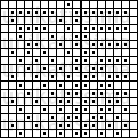
 The overview is the small picture, the pattern the larger one that you can use to work in different techniques.
I like to let generate different patterns and found, that I can’t see from the actual patterns whether I like them. Therefore I always compare the overviews and print then the pattern with the same name identification code, e.g. is the overview called ‘unikatissima_CA57_7kD.png’ and the pattern ‘unikatissima_CA57_pattern_7kD.png’.
- Question: The pictures I’m saving have strange names. Why?
Answer:
The overview, that’s the smaller picture, is always called ‘unikatissima_CA++_***.png’, where ‘++’ stands for the rule number and ‘***’ stands for a random letter number combination.
The pattern, the larger picture that you can use to work in different techniques is always called ‘unikatissima_CA++_pattern_***.png’, where ‘++’ stands for the same rule number and ‘***’ stands for the same letter number combination as for the overview. E.g. is the overview called ‘unikatissima_CA57_7kD.png’ and the pattern ‘unikatissima_CA57_pattern_7kD.png’.
This way a pattern can easily be assigned to the overview after you’re chosen a beautiful pattern.
- Again I want to thank RIAmore.eu.
They’ve been such a help when creating this (hopefully ;-)) rich internet application! - Furthermore thanks to all who tried to explain what a cellular automaton is.
I guess that it is due to me that I haven’t really understood ;-))
Completed patterns:
I find that some of the patterns look nearly good, but I wouldn’t work them as they are.
Therefore I show here how it can look if the patterns are postworked.
Pattern 1:
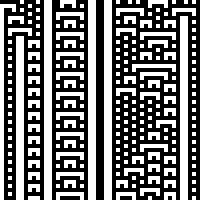 I found this pattern rather beautiful, but found the black stripe in the center too large and the white stripes in the long run dull.
What is more: if you work several pattern repeats side by side there comes a white dull stripe between both what I didn’t like, too.
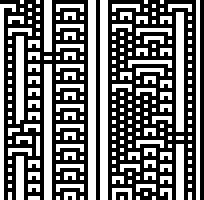 That is the pattern after my postwork.
Two of the white stripes have been interrupted, the large black stripe is gone, the problem with the pattern repeats doesn’t occur no more and additionally I shifted a part of the pattern upwards to get a (as I find) more balanced and easier to work pattern.
(Click to enlarge)
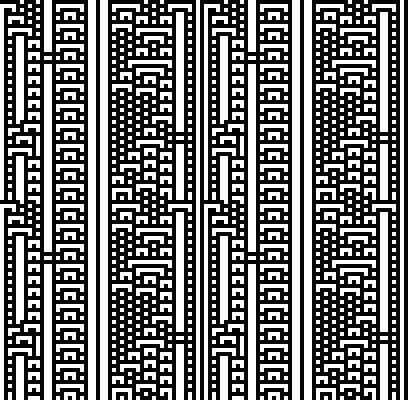 That’s how the pattern would look if repeated as well horizontally as vertically.
And?
I find it really beautiful ;-)
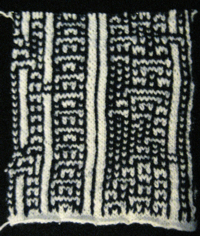 Here I knitted it (other techniques work as well).
I knitted some more rows than just one pattern repeat and as you can see it matches great.
I’m not a very experienced multi colour knitter, but I find it beautiful (it’s only wavy because I haven’t blocked it yet: I’m still working on it!).
Now I only have to find out what to do with it ;-)
(Click to enlarge)
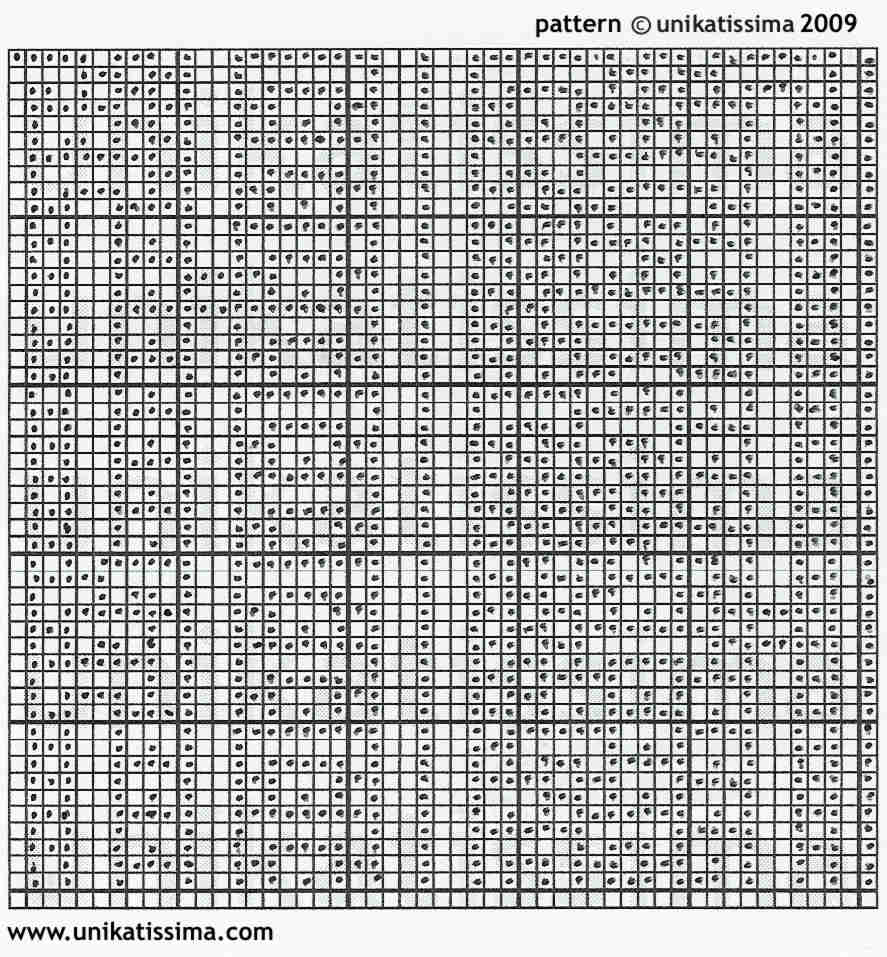 After having postworked the overview, I simply charted it manually in my empty chart.
This works fine.
If you like you can work my pattern on the left, too, simply save the graphic, print and work.
I’d really love it if I could see some pictures, then.
Pattern 2:
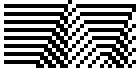 I nearly found this beautiful, too.
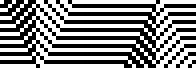 That is my postworked version.
(Click to enlarge)
 That is the repeat of my postworked version.
Not bad, isn’t it?
(Click to enlarge)
 That’s the template.
Have fun knitting, crocheting, bead looming etc. :)
Empty chart:
(Click to enlarge)
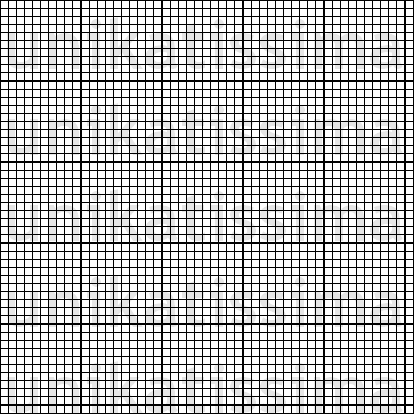 This is my empty chart for you to self-postdesign the patterns that you like.
The decimal lines are already included, so simply save, print and fill-in appropriately ;-))
Amazing, both this and the maze one. Wow! I’m going to play here!
Thank you so much, Ruth :))
I wish you a lot of fun!
This is quite a program. I am always in awe of the creative people and what they can dream up. I’ve put this in my favorites…..thank you,
carole, thank you so much for your kind comment :)
I hope that you will make most beautiful items with the patterns and wish you a lot of fun with it ;-)
This is very cool.
I wonder if it is possible for you to modify it so that we can change the starting condition to something else other than just the one black square in a line of white ones.
We could do something as simple as give a binary string with the right number of digits (the width) that the program could use as the first line instead and then calculate from there. Or there could be a button to generate a random first line.
I ask because for me, a lot of the patterns are more interesting when the first line is random (for examples see http://www-module.cs.york.ac.uk/nsc/applets/CellularAutomata/index1d.html which is good for the random part, but you can’t adjust the width like yours. Also his edge conditions seem to be wrap-around, where I think you consider the edges to be fixed zeros, right? Both of those are interesting so that could be a cool toggle option, too.).
Thanks!
Patrick,
thanks :))
‘I wonder if it is possible for you to modify it…’
Eehm, I feel honoured, but unfortunately it’s not possible for me to work on it:
1. I haven’t fully understood what cellular automatons are in the first place (read more in the CA entry),
2. the program was written about 2 1/2 years ago with much help of RIAmore.eu (see credits) and I’ve forgotten everything about it and
3. I’m very busy designing knitting patterns, which is not to be sneezed at, too ;-)
As far as I have understood your ideas (which is not very far ;-)) you should easily be able to write a program of your own, possibly based on the source code of the applet you mentioned above.
I wish you success and fun with it
Susann
Thank you so much for this tool.
Im no knitter, but i find these patterns very beautiful.
Funnily enough the one that hooked me was very similar to the one you spotted and edited the thick stripe.
It looks really amazing on your finished knitted sheet too.
Al Brady,
thank you for your compliments :)
The patterns are amazing, aren’t they?
By the way, you don’t have to be a knitter to ‘work’ with the charts, look e.g. at entry ‘What Can You Do With Filet Crochet/Cross Stitch Embroidery Charts?’ :))